

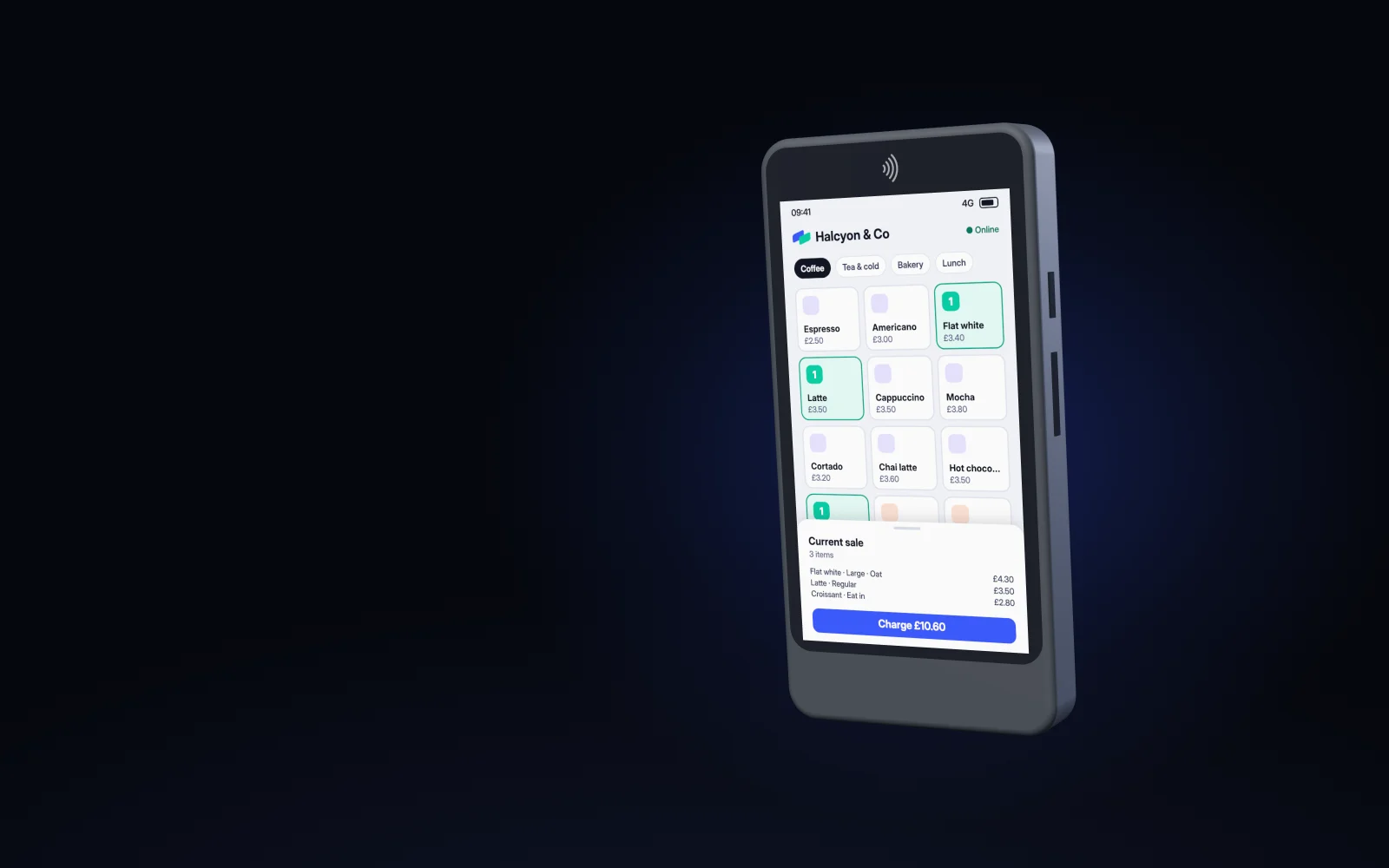
Tuppence Roam
The whole till in one hand. Ring up the sale, take the card and send the receipt from a Stripe Reader S710, wherever the customer is.
One device. The whole sale.
The Tuppence till runs on the reader itself. Pick the items, take a tap, a chip or a PIN, and you’re on to the next customer without passing anything back and forth.
Paper, when you want it.
The Snap Printer slides on from the side and clicks home on two hidden magnets. Slide it off again at the end of the day. Nothing to screw, nothing to pair twice.
Receipts from the top.
A 57 mm receipt feeds straight up, away from the screen and the card, so the customer can tap while it prints.
A new roll in seconds.
Lift the lid, drop in a roll and press the mark to close it. The roller sits in the lid, so the paper threads itself as it shuts.
Marked, never stickered.
The Tuppence mark on the lid is where you press to close it, filled in our blue and mint. On the back, facing your customer, the name is pressed into the shell itself.
For the table, the stall and the queue.
Roam is for sales that don’t happen at a counter: at the table, at a market stall, at the door or down the queue.
Light in the hand
The Stripe Reader S710 on its own. With the Snap Printer and a full roll it’s 471 g.
Works off the Wi-Fi
The S710 carries its own mobile data, so a garden, a car park or a field still works.
Clicks on, slides off
A slim collar stays on the reader. The printer slides onto its hidden rail and two small magnets hold it home.
Standard rolls
Any 57 × 30 mm thermal roll. That’s about 73 receipts a roll.
Charges like a phone
The printer has its own battery and its own USB-C port, so it never draws on the reader’s charge.
 on the lid
The mark is the button
Press the Tuppence mark to close the lid. It sits over the middle of the roller, so the paper always closes square.
Turn it. Print with it.
Drag to turn it, pinch or use the buttons to zoom, and try it with and without the printer.
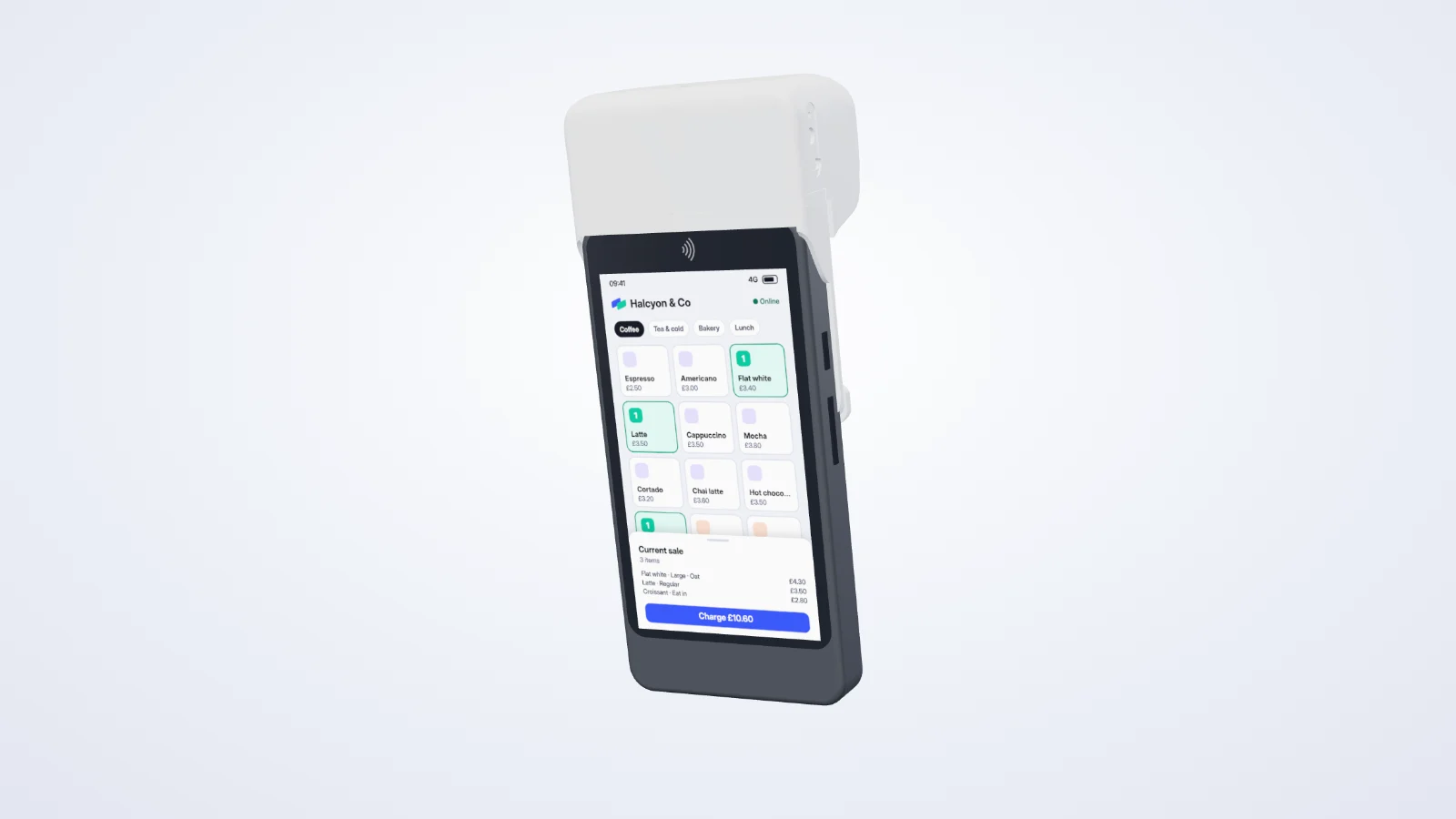
With the Snap Printer · 471 g
Three steps. No threading.
The printer’s roller lives in the lid, so closing the lid is what loads the paper.
-
1
Lift the lid
It swings right back and stays open, so you have both hands for the roll.
-
2
Drop in a roll
Paper end towards the screen, with a short length pulled out over the top. The old core lifts straight out.
-
3
Press the mark to close
Press the Tuppence mark on the lid and it clicks shut on the paper. Tear off the spare end against the edge and you’re printing again.
The details.
From the design as it stands today. The first printers are being made now, so details may change.
| Reader | Stripe Reader S710: a 5.5-inch touch screen, contactless, chip and PIN, 4G and Wi-Fi. |
|---|---|
| Snap Printer | A thermal printer that clicks onto the top of the reader, with its own battery. |
| Paper | 57 mm thermal paper on a 30 mm roll, 9.9 m of paper. Printed 48 mm wide at 8 dots per millimetre. |
| Weight | The printer and collar add 151 g with a full roll, so 471 g in all. |
| Size | 86 mm wide. The printer adds 41 mm above the reader. |
| Battery | About 219 receipts a charge, in about 25 minutes on USB-C. |
| Fitting | A slim collar slides down over the reader and stays on. The printer slides onto its rail from the left and two magnets hold it. |
| Card stripe | Covered while the printer is on. Slide the printer off to swipe a card. |
| Materials | Nylon (PA12) printed and smoothed to a satin finish, in Chalk or Graphite. |
| Branding | The Tuppence mark pressed into the lid where you press to close it, filled in Tuppence blue and mint. The mark and name pressed into the back, tone on tone. |
- Card readers aren’t part of Tuppence yet. They come with in-person card payments.
- Running the till on the S710 needs Stripe to approve our app for its readers. That hasn’t happened yet.
- Stripe still calls Bluetooth on its readers experimental, so we’ll prove printing on real readers before the printer ships.
- The Snap Printer is in development, and we’re making the first ones now. Prices and delivery dates come once they’re signed off.
Payments that give more back.
Start in test mode in a minute. Go live once you’re verified.