Due£10.60
Exact £10.60£20£50
Change£9.40
Cash
Quick amounts in your currency’s notes, the change worked out, and cash rounding where your country has it.
Sell from an iPhone, iPad or web browser: cash with change, cards paid by QR, split bills and tabs. Set up your menu in the dashboard, give your team their own PINs, and cash up to the penny. No monthly fee.
An example sale on an iPad till at Halcyon & Co: a large flat white with oat milk (£4.30), a latte (£3.50) and a croissant (£2.80), £10.60 including £1.77 VAT. The customer pays by card on their own phone by scanning a QR code on the till.
Products, shelves, sizes and choices, in a dashboard that edits like a spreadsheet. In test mode, Add a sample café fills it in for you.
Open the Tuppence app on an iPhone or iPad and type the six-digit code from the dashboard. Owners and managers can pick the register in the app instead.
Count the float, sign in with your PIN and start selling. Close the day with a cash-up, and the owners get the Z report by email.
Subscriptions charge every month, often per device, whether you sell a thousand coffees or none. Tuppence POS has no monthly fee, no device fee and no contract. We earn only when you’re paid by card.
January at a seaside café, a Saturday-only stall, a fortnight shut in August. None of them carry a till fee.
No fee per device. Put an iPad on the counter and an iPhone in your apron at no extra cost.
No contract or minimum term. Close your account at any time.
The card rate is our only charge on the till, from 0.79% on UK consumer cards. Nothing on cash.
Enter what you pay now. We don’t store it.
Sizes and choices open on one sheet, and the price updates as you go. The till won’t charge until every required choice is made.
Take cash or card, split the bill any way the table wants, and record payments taken elsewhere. The day adds up in one place.
Quick amounts in your currency’s notes, the change worked out, and cash rounding where your country has it.
The customer scans the till and pays by card on their own phone. There’s no reader to buy, and it costs the card rate.
Equally between two to six people, by the items each person had, or by amount. Each part can be cash or card.
Leave an order open under a name and settle it later, on this till or another one.
Ask on screen with the amounts you choose for each register, or let the customer type their own.
Keep your card machine while you switch. Record what it took so your takings, shifts and reports stay complete. We charge no fee on it.
Open a shift with a float, and every pound in and out of the drawer has a reason. At closing, count note by note and the till does the sums.
Each person signs in to the till with their own PIN and can do only what you allow. A Saturday helper rings up sales while a manager handles the drawer.
Change a price and press Enter: it’s saved and you’re on the next row. Every till picks up the change, so the counter never sells yesterday’s menu.
Select rows and change the price, shelf, tax class or sold-out status in one go. Undo reverses it.
Choices with their rules and prices, and tax classes with a preview of what each price becomes.
Arrange the till’s pages so your best sellers sit under your thumb.
Name each till, set its float and receipt details, and pair or remove devices.
Made for the Tuppence till: a counter stand that faces both ways, and a reader with its own printer for taking payment anywhere.
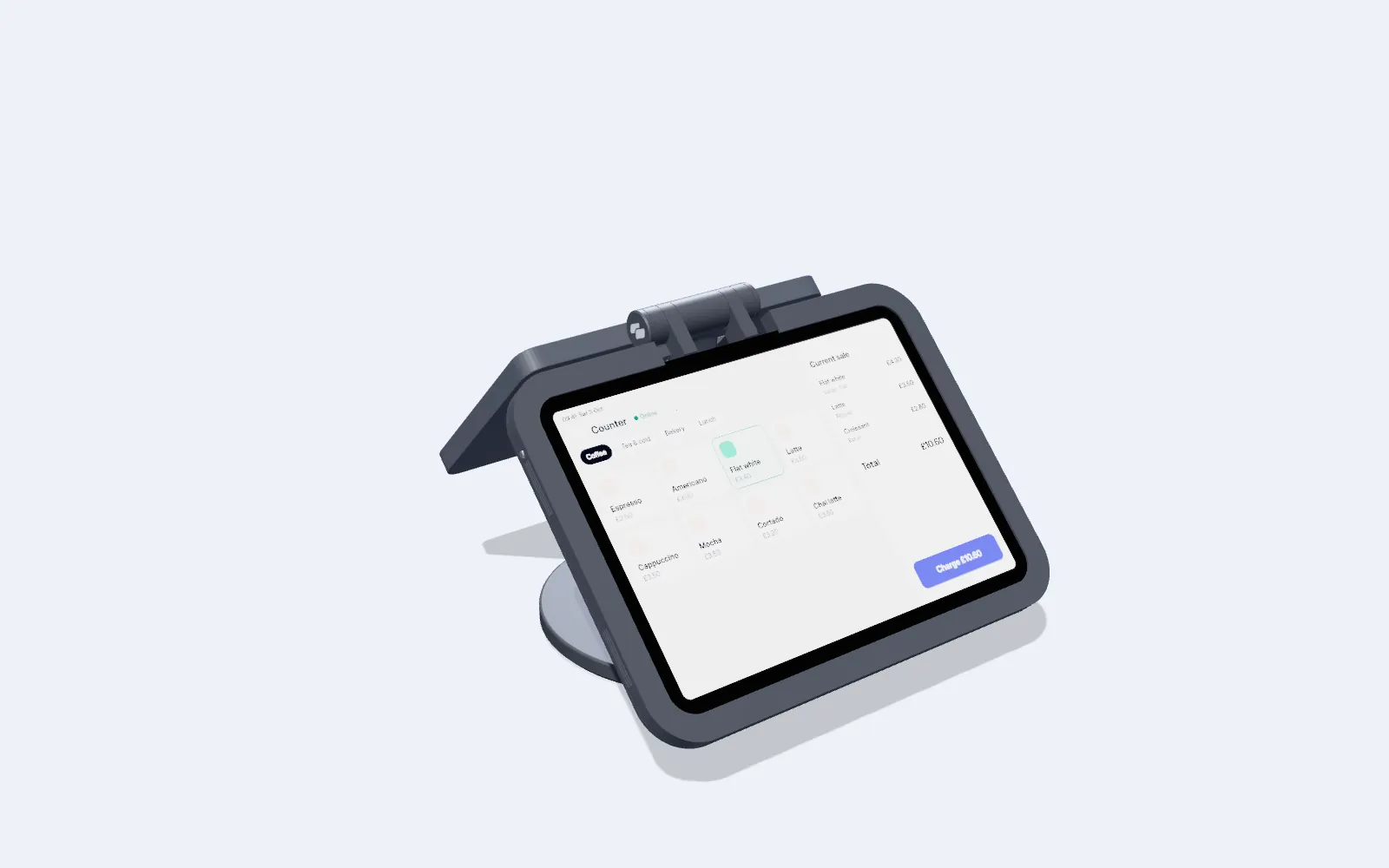 Counter stand · Made in Britain
Tuppence Ridge
An iPad for you and a card reader for your customer, back to back on one slim rod. Precision aluminium and solid steel, charged from one plug.
Explore Tuppence Ridge
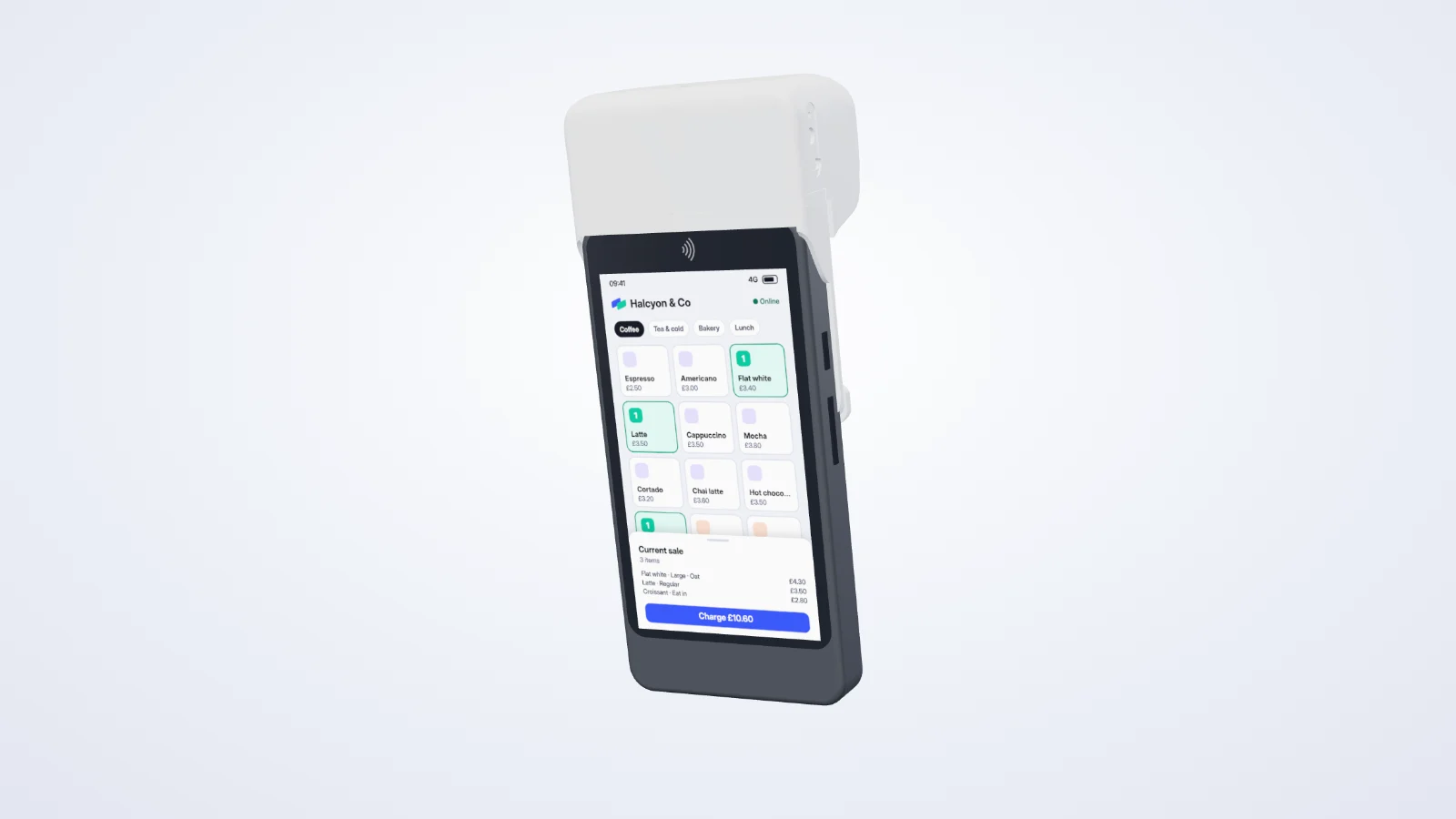 Mobile till · Built-in printer
Tuppence Roam
The Tuppence till on a handheld card reader, with a printer that clicks on for paper receipts. Take payment at the table, in the queue or on the shop floor.
Explore Tuppence Roam
Add a printer, scanner or customer display when you need one. The till works the same in the app and the browser.
Network or Bluetooth printers, 58 or 80 mm, with your logo and footer. Reprint a marked copy from Orders.
Use a barcode scanner or the device’s camera. A scan adds the item, reads a scale label, opens a receipt’s order, or offers to add a product the till doesn’t know.
Pair a second screen to a register. It shows the order as it’s rung up, the QR to pay, the tip prompt and a thank-you, in your branding.
Cash and payments recorded as Other carry on offline. Each sale is saved on the device and sent when the connection returns.
Find an order by its number or by scanning its receipt. Return items, void a sale or reprint, with a manager’s PIN where your rules ask for one.
Today’s takings on Home, in the app and the dashboard, plus a sales report by item, staff member and hour, with a CSV export.
Turn on Dedicated till for an iPad on the Devices page, and it opens straight into selling, full screen, with no tabs, notifications or app lock between customers.
The till handles tax the way each country does: VAT included in the UK, sales tax added in the US, two taxes in Quebec. Each register follows its location, and receipts print in the location’s language.
Illustrations. Tuppence POS sells in the UK first; the tax rules for the US, Canada, Australia, New Zealand and Europe are built in and switch on country by country.
A sale at the counter lands in the same balance and payouts as everything else you sell. Every screen is built on the API you can use too.
Cards paid at the till are ordinary Tuppence payments: one balance, one payout, refunds and disputes in one place.
Online paymentsSalons and studios sell their retail shelf and walk-ins from the same account, with the same team that runs the diary.
Tuppence BookingsProducts, modifiers, discounts, orders, receipts, stock levels, devices and layouts are in the API, with order.paid, shift.closed and their siblings as webhooks.
No monthly fee, no fee per device or sale, and no contract.
And later: Tap to Pay on iPhone and Android and card readers (the card rate plus 8p per payment), card payments with no connection, tables and the kitchen, online ordering, and countries beyond the UK. Until then, your existing card machine works alongside the till as Other.
A Tuppence account and an iPhone or iPad with the Tuppence app, or a computer with a web browser. A receipt printer, barcode scanner and customer display are optional. There’s nothing to rent or return.
With Card by QR. The till shows a code, and the customer scans it with their phone’s camera and pays on a secure Tuppence page. If you have a card machine, keep using it and record those payments as Other. Tap to Pay and card readers come later.
The till is free: no monthly fee, nothing per device or per sale. Cash carries no fee. A card paid by QR is an ordinary card payment at the card rate, from 0.79% in the UK. Payments you record as Other carry no fee from us.
After each sale the till asks how they’d like it: printed, by email, as a QR code to scan, or as a full VAT invoice with their name and address. Receipts use your location’s language and layout, and each is kept with its order for reprinting from Orders. Receipts by text are coming.
For cash, yes. Offline, the till keeps taking cash and recording payments as Other, saving each sale on the device and sending it when the connection returns. Cards by QR and emailed receipts need a connection. Offline card payments will come with card readers.
Yes. Each person signs in to the till with their own PIN and can do only what you’ve allowed. A dedicated till opens straight into selling, and only the person signed in to the app can take it out, with their Face ID.
It’s the same account: the same team, the same balance and the same payouts. Sell your retail shelf and walk-ins from the till today. Checking out a booking at the till is coming next.
Start in test mode in a minute. Go live once you’re verified.